Showing posts with label iOS apps. Show all posts

Wednesday, July 27, 2016

Video Editing Apps

This app review was one of the most labor intensive because I decided I should try to create a video start to finish with each app to see how the process (I know most of them are super short). There was only one app listed here that I was so unhappy with the results that I decided not to post a video.

Best

iMovie (Free) iOS only - This app comes pre-installed on iPhones. The app allows users to make simple edits and easily create a video with transitions, music, and text easily. The app automates certain things like transitions, pans, and how test display but allows you to make changes. I thought the video I created was professional looking and was made with minimal effort on my part.
Example: https://youtu.be/DFGPHuHEWc0


Splice (Free) iOS only - Created by Go Pro this app gives users a lot of the functionality of iMovie with a some additional transitions, more music choices, a wider variety of text overlays, and filters. A great app that is easy to use. https://spliceapp.com/
Example: https://youtu.be/6xZGPr7-l0Y

WeVideo (Free, $3.99 for additional features) iOS, Android, Web - An easy to use app that gives control over text, trim video footage, filters, music, and voice over. There is no control over transitions. There is a watermark and end credit but they can be eliminated and additional features unlocked for $3.99. I did not review the web based editing but that looks like it would give some additional tools. I like that it works on multiple platforms. https://www.wevideo.com/
Example:https://youtu.be/CPV81KHBnTE

Good

Cute CUT (Free, $5.99 premium features) iOS and Android. - The video editor looks very professional giving users control of each video clip and picture in a stream like in a high-end program like Adobe Premier. The app will not allow any music it considers DRM (digital rights management) protected. I found the lack of transitions, filters, and small selection of text and music choices restrictive. Premium gets rid of the watermark and allows for videos of unlimited length. You can do some interesting things like draw on pictures or video. The share to Facebook portion kept returning an error for me. http://cutecut.mobivio.com/
Example: https://youtu.be/cQioXcuwnL8

Google Photos (Free) iOS and Android - This Google app that backs up and organizes your photos and videos already does so many cool things like creating folders, animations, photo edited copies, and will create a suggested video. If you tap the three dots in the top right, tap "create a movie", then tap on what you want included, music, text, and style. It doesn't have all the customization of some of the apps but it's pretty nice.
Android: https://play.google.com/store/apps/details?id=com.google.android.apps.photos&hl=en
iOS: https://itunes.apple.com/us/app/google-photos-free-photo-video/id962194608?mt=8

Example: https://youtu.be/VVPkgq7qarw

Magisto (Free, Subscription) iOS and Android - If you want to make movies out of your pictures and videos but you want to automate putting it all together this app is for you. You select or the app pulls pictures and videos does some editing or asks what style editing you would like, suggests some music and text, then makes it available for sharing. Users do not have any way to make choices as far as multiple text displays, transitions, music changes, etc. If you want to save or download the video it is .99 a download, $4.99 a month, or $19.99 a year. https://www.magisto.com/
Example: https://youtu.be/36VGsmjciXQ

Limited Use

VidTrim (Free, Pro $1.99) Android Only - The app allows users to trim video clips and merge them. There is some minor filters and sharing capability but does not do much more than allow very basic editing. https://play.google.com/store/apps/details?id=com.goseet.VidTrim&hl=en

Thursday, May 12, 2016

Plant Identification Apps

Recommended:


Leafsnap (Free) iOS and Android – Developed by researchers from Columbia University, the University of Maryland, and the Smithsonian Institute the app allows users to identify trees in the United States and Canada by taking a picture of a leaf. There is another app Leafsnap UK for trees in the United Kingdom. Both apps have great high resolution pictures that users can browser the leaf, branch, flowers, and fruits of trees. There is a game that helps users build-up their knowledge of trees based on leaves, flowers, or fruits. The down side is that while the database is extensive it does not have every tree in Canada and the United States as I found out while trying to identify some trees. Also the fact that it is only trees limits the app’s use.


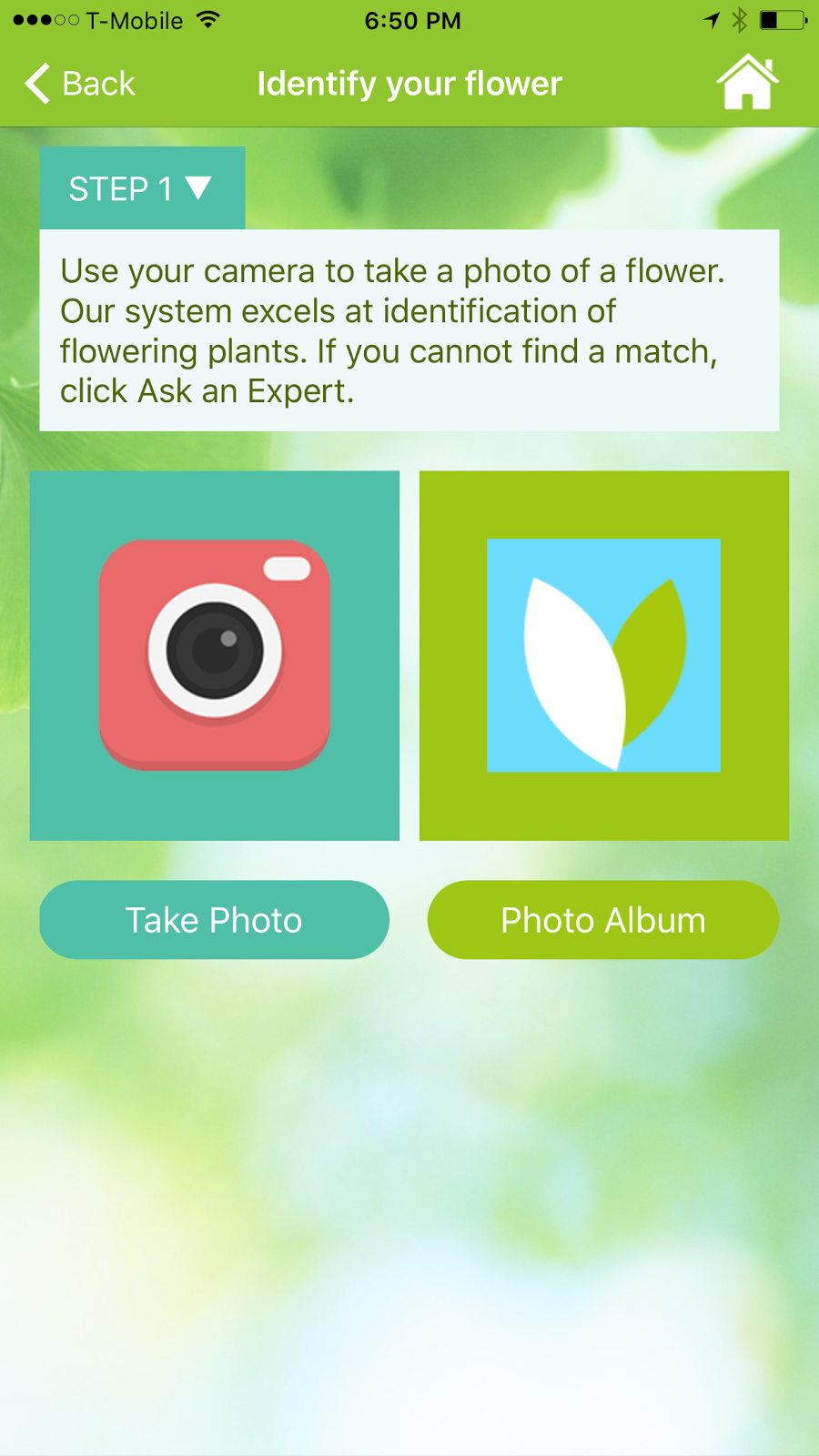
myGardenAnswers (Free) iOS and Android. Not one of the strongest apps in the identification game but you can search the name of a plant or tree and see pictures and descriptions. If you have a flowering plant you can take a picture and the app will try to identify it. The app has an option to do a Google image search using the picture you have taken.  If you have a non-flowering plant or you are not satisfied with any of the other options, the app offers expert identification services for a fee.


Garden Compass (Free) iOS and Android. The app has a lot of interesting features for those who like to garden: articles, tips, care calendar, community, cooking in the garden, and much more. The identification portion of the app gives users three expert identifications free each month. Additional identifications are available for a fee. I tried it and the expert would tell me what they thought it was and asked for additional pictures or information to try to get an exact name of the plant. The app has a very friendly and easy to use interface with high quality graphics. I really like the “How to Use the App” videos to help users get everything they can out of the app.

Do Not Recommend:


LikeThat Garden (Free) Android only – This app was promising but in the end extremely disappointing. It is very simple, you take a picture and the app is supposed to identify the plant or tree. The camera portion looked distorted and was hard to use. The graphics were poor. Several times the app could not bring up matches and when it did many did not produce a correct match. The app crashed multiple times.

Friday, April 22, 2016

Coloring apps

There has been an increasing interest in adult coloring, coloring for mindfulness, mandalas, zentangles, and related activities. It can very simple or get very complicated. I learned this when I received some special coloring pages for Christmas and none of the markers or pencils worked on the glossy pages. App makers have decided to try to get in on the action and make coloring available on mobile devices. Most apps are free but they charge for additional coloring pages, color palettes, and filters. I tried each of these apps and thought I'd give a "highly recommended", "recommended", "not recommended".

Highly Recommended

Pigment (Free) iOS only. This app impressed me the most. You can color with pencil, marker, or paint. You can control how much area it fills in and how large a pen, marker, or brush stroke. While coloring you can choose an area to confine your color to or you can draw outside the lines. If you have a newer iPhone / iPad the pressure sensitive screen allows for different saturations of color. The app allows you to save or share, as all the ones I tested do. The pictures that they give and color palettes to choose from are generous. There are only pop-up ads to buy premium features when you want to save or share. You can subscribe to get a new coloring book added monthly and all the premium features. The images used for coloring are vector images which means no matter how much you zoom in or zoom out there is no pixelation, everything looks smooth. This was the best app by far. Subscription prices vary. http://pigmentapp.co/

Colorfy (Free) iOS, Amazon, and Android. A lot of reviews and coloring app users rave about this app. The first thing that disappointed me was that the images are raster images meaning that they getting blocky and distort when you zoom in to fill in small areas. There are less color palette choices. I liked to see the library of other coloring / art people had created. The app allows you to convert pictures that you take into coloring pages. They do have an interesting selection of coloring pages. They have about as many pop-ups trying to sell their $2.99 a week subscription. http://colorfy.net/

Coloring (Free) Android only. There are some really beautiful coloring pages. It has some helpful settings options like left handed, blending colors, soft lines, and giant pencil. The feature that I really liked had to do with creating your own custom colors and then having an eye dropper to duplicate that color you created and used later. Like most coloring apps you just fill the black spots with color and you don't color like it in. There were no ads and I did not encounter any annoying pop-ups trying to sell me premium features. If you wanted additional coloring pages, you pay for them which seems fair. https://goo.gl/qKo0Ve

Recommended

Colorme (Free) iOS and Android. Extremely easy to color and the pictures don't take long to finish. There were an abundant selection of coloring pages and colors. Lots of ads. Apple: https://goo.gl/YJW7qf Android:https://goo.gl/UxdFQj 

Colorfly (Free) iOS and Android.  The app seems like a lesser quality version of Colorfy but with some added coloring pages, colors, and a ton of ads. There are a lot of addons that cost between $1.99 - $9.99. Apple: https://goo.gl/XFlBSn Android: https://goo.gl/rBvBHK

Recolor (Free) iOS and Android. One of the features that was different about this coloring app was if you tapped on an area to add color but you decide you've made a mistake you can tap a second time and it will undo it. There are a lot of cool filters once you are done coloring like water color, crayon, pencil, but also video filters that add movement to the drawing. Apple: https://goo.gl/1gKLzt Android: https://goo.gl/V0nkak

Mandala (Free) Android only. This app has a lot of fans and there are a lot of positive reviews. There is a limited assortment of coloring pages that are all in the same theme and I felt that the color selection was constrained. There is a banner ad at the bottom but not much else trying to sell users. Very basic and maybe good for children or adults that want something really basic. https://goo.gl/rfDnJc

Adult Coloring (Free) Android only. Good selection of coloring pages and colors, there are additional ones that can be purchased. Not a lot of ads. Nice filters that can be added after you are done. An easy to use app. https://goo.gl/QwIhrH 


Not Recommended

1000 Dot to Dot (Free) iOS only. This app was recommended in one of the articles that I read. I tried it on two separate days and ran into a lot of problems. It really isn't a coloring app but dot to dot and each is about 1000 dots. If coloring is supposed to destress and be calming, this is the opposite and made me want to throw my phone across the room.

Adult Coloring Book (.99) iOS only. Another app recommended in an article, it doesn't work well and uses "adult" sophomoric humor that I thought was dumb instead of funny (and trust me I laugh at some dumb things). Besides that there isn't a good selection of colors or pictures.

Thursday, April 2, 2015

Time-Wasting Apps

A dozen apps that will help you waste time on a plane, train, or bus. In the case of the last app on the list it will show you why you got nothing done today.


Cheezburger (Free. iOS and Android) If you like silly pictures of pets and hilarious memes this is the time waster for you.

Songify ($2.99 iOS and Free Android) Record yourself talking or singing and the app will allow you to add musical accompaniment and auto-tune. So, you too can sound like the Black-Eyed Peas or a silly You Tube video. 

Whisper (Free. iOS and Android) If you've ever seen the PostSecret books you will know that they are about anonymously sharing your deepest darkest secrets. This app allows you to post your secrets with meme-like art. You can also read others secrets, comment on them, like them, and share them within the app.

Sago Mini Doodlecast ($3.79 iOS only) Really an app for kids but parents may use it to distract little ones. It records the doodling and the sounds that occur while they are creating their masterpiece. [If you don't have kids, some parents like to record their baby / toddler gibbering.]

Meme Generator (Free. iOS and Android) Creating short message silly graphic art is called a meme. [If you are not sure what I'm describing Google it.] Sometimes to be funniest you have to be fast or inspiration may hit at anytime. The meme generator app helps you create with stock art and the requisite fonts to quickly create hilarity.

1 Second Everyday ($2.99 iOS. Free with in-app purchases Android) A very popular trend in the tech world / social media is the creation of one-second a day videos. You can see how your life changes over time or snippets of a trip. Create different sets for your children, pets, or spouse, then assemble a video days, weeks, or years from now. You can also share your one second video with others to create a group project. [If you saw the movie "Chef" the son uses the app to document his trip with his dad] 

Picr (Free with in-app purchases. iOS only) -  Take a selfie each day, then at the end of a month, year, decade or more, you'll be able to generate a movie of your facial changes through time. 

FrontBack (Free iOS and Android) - Your phone has a camera on the front and back and this app uses both. Take a picture that shows what you're are seeing and what you look like seeing it. The app allows you to e-mail it or share via social media.

Moodies Emotions Analytics (Free. iOS only) The app records you talking for 20 seconds and then reports your primary and secondary mood by analyzing pitch, volume, timing, and energy used. 

Unstuck (Free. iOS for iPad and web) Feeling stuck in your rut, looking for personal growth, or motivation. This self-help app has won both a Webby [website awards] and Appy [yeah you guessed it an app award]. Give it a spin and see where it takes you, there are worse ways to waste your time.

Original Virtual Bubble Wrap (Free iOS and Android) It is what it says it is, virtual bubble wrap. You pop bubble wrap and that’s about it.

Moment (Free. iOS only) The opposite of a time waster this app helps you see how much you use your phone and for what.  It will tell you how many times a day you pick up the iPhone, track where you take the phone, and set limits for how often you can use it. If family members have it on their iPhones you can see how much they use it and set times when everyone in the family has to go without a screen.

Thursday, February 19, 2015

Best Pet Apps

Watch My Puppy Grow Free. Android. Create a video of your puppy, captured in daily or weekly pictures used to make a fun video that morphs your puppy from her first day to full growth. You can also make it into a slide show. The image is taken and stored, and a transparent overlay is created for the next image that is added so that each image is in the same position as the one before it, highlighting the changes as they take place. A very cool way to capture the memories.

Guide to Dog Breeds .99 iOS only An educational tool that will allow you to learn about most if not all dog breeds (over 400). You can search by name of breed or by origin country. Beautiful pictures of each breed and an impressive array of information. Users can make notes, bookmark favorites, and submit pictures of their dog for consideration in future versions of the app.

Petsie Free. Android only. A fun pet breed information app that has features such as "which is cuter", pet breed quizzes, and social feature that allows owners to create a profile for their dog. With over 110,000 pet profiles and 1.5 million pet photos it is a large online community for dogs (or dog owners). Learn about breeds, figure out what mix your dog might be, and much more.

Petoxins 2.99 iOS only This app created by the ASPCA helps owners keep cats, dogs, and horses from ingesting plants and vegetation that may be hazardous to the pet's health. Pictures of vegetation, its effects on pets, and what to do if ingested are listed. There is a link to call the ASPCA Poison Control if you are concerned your pet may have ingested something harmful. The app will help you choose houseplants that are not dangerous and be mindful of environmental hazards to your pet in your area. Thirty-five percent of the app's purchase price helps fund the ASPCA.

Pet First Aid by American Red Cross .99 iOS and Android This app really covers a lot of ground. It teaches owners how to respond to 25 different situations instructing through illustrations and videos. Early warning information helps you respond quickly to possible medical situations. It can keep track of veterinarian information,medications, and visits. You can contact emergency services or the pet's vet through the app. There is a finder feature to locate pet-friendly hotels while traveling. Contains both cat and dog content. Interactive quizzes help you learn and earn badges.

MapMyDogWalk Free. iOS, Android, and Web. Similar to other fitness apps it tracks your dog walk with GPS and keeps track of calories burned. Users can take pictures of your dog and include it in the record; share walks with friends via e-mail or Twitter. The app syncs across multiple platforms so users can access their data on smartphones, tablets, or online. The app also allows users to control their music, connect to heart monitors, and track their nutrition. Easy to use interface make this an easy to use app.

 Doggy Datez Free. iOS and Android. A social platform for dog owners. The main function is to "mark your territory" by geo-tagging a location users take ownership of an area (200m radius) in the physical world to see who else "visits" your spot, just like dogs do. User profiles are searchable to other members by gender, age, dog gender, dog age, and/or breed. 

Tagg Free app. (GPS tracker $99) iOS and Android. The app allows owners to track pets, monitor their activity, gives map / direction to get to your pet, and alerts you if they go beyond certain preset boundaries. The Tagg is durable, rechargeable, and waterproof.

Bring Fido Free. iOS only and web. Easily find dog friendly hotels, parks, beaches, and restaurants. Allows users to filter hotels for pet size, breed polices, or some that do not have a pet fee. Users can book rooms through the app and find nearby attractions for both owner and pet. Nice, friendly design and an easy to use interface.

Dog Park Finder Plus $1.99 iOS only. With over 6,000 parks / beaches and 12,000 dog-friendly restaurants Skejo Studios is working to provide an comprehensive app for owners to easily find a place to take your pooch. Features include maps to the park and of the park, easy search capabilities, email to friends, detail facilities information for each loaction, website for parks / restaurants, and the ability for users to write reviews and post pictures of locations.
Dog Clicker Training Free. iOS and Android. OK so this really is two different apps that have the same name. What I mean is that the version for iOS has a different developer than the Android so each has a different display and features. They both are highly rated with the basic clicker that professionals use in dog training. The iOS app has some pointers and good information for helping train a dog. The Android app has a dog whistle and some additional information for using the clicker or whistle for training. The iOS app has a beautiful interface while the Android looks a little busy and cluttered, but they are both free.

P5 Dog Training app by Purina Free. iOS and Android. I looked through several dog training apps and each had a host of issues. This app came out on top for comprehensive training, lack of in-purchase requirements, interface, lack of bugs, etc. It has an easy-to-use interface and a beautiful platform. It syncs with MapMyDogWalk and tracks your dogs activity, nutrition, and progress.

POOPEE PUPPY Free. iOS only. Very cute app helps track your dog's... well, business. The app alerts you when it might be you puppy's time to go. It also allows you to keep a log of meals, pet problems such as vomit, and vet visits. By keeping tack of accidents the apps help you see progress and praise your puppy as it progresses toward being house broken

A few less essential but cute pet apps:

iSqueek $1.99 iOS only. 16 virtual squeak toys that work just like the real thing beware your pet may want to bite and chew your device.

Pet Acoustics $1.99 iOS only. Cats, dogs, and horses have better hearing than humans so an acoustics company has created an app with music and sounds that is made for their hearing in mind. Highly rated by users it helps pet deal with periods or incidents that make them anxious by helping them relax.

Game for Dogs Free. iOS only. Cats or dogs will be attracted to the screen by the sounds and animated dog, squirrel, or cats racing across the screen. Be careful though one owner commented that their 90 pound golden retriever destroyed the iPad it was on. Some parts of the app require in-app purchasing.

Friday, December 5, 2014

Cooking Apps


Allrecipes (iOS, Android, Windows, and computer; free) -  With 40,000 recipes the Allrecipes.com has become one of the most popular websites and it's app has become almost as popular. You can save your recipes, search for recipes, browse what is popular, and create a grocery list. I like their new full screen view. They now have some "Healthy" recipes that they want to charge $2.99 for {side note: I noted multiple apps that are charging extra for healthy, vegan, and vegetarian recipes}

Allrecipes Videos (iOS and Android free) - a great selection of basic and special recipes (700 total) each has a corresponding video how-to. There are categories you can browse or search for a recipe, and it has a recipe box to save the ones you want to try.

BigOven (iOS ,Android, Amazon, Windows, computer; free) - 350,000+ recipes this app and the corresponding website should have the recipe you want. You can search or browse the categories which include different ethnic cuisines, dietary restrictions, skill levels, for different age groups, type of weather, holidays, and seasons. There are meal menus to chose from that have recipes for each dish. There is a grocery list, menu planner, and use up leftovers features. You can save recipes as favorites, to try, and more.

Cookpad (iOS and Android free) - this is an interesting app it's like part recipe app and part cooking social media. You can save recipes, follow contributors, private message, and there is a forum. The recipes all come from users, some take pictures of each step, some have typos, and some make funny comments. I found it strangely mesmerizing. I laughed, and I felt like I wanted to contribute.

Epicurious Recipes & Shopping List (iOS, Android, and Windows; free) - The Epicurious website was the go to place for recipes when the Web was still new. When I was working at Williams-Sonoma we would steer people to the website for meal ideas. The app is nice but the majority of the recipes come from Bon Apetit and Gourmet magazine, so I had a hard time finding anything I liked. The categories are really nice: Kid Friendly, Can't Cook, Cook like a Pro, Low Carb, Low Fat, Vegetarian Main Course, etc. I did similar searches on all the apps and this app gave me the most complicated, difficult, gourmet of the apps.

Escoffier Companion (iOS and Android free) - Auguste Escoffier is one of the most important chefs in culinary history. When I was a Reference Librarian at Johnson & Wales University all first year students had to learn about him and you would see them lug around his most important book. This app provides you with multiple timers, conversion, ingredients and equipment encyclopedia, and cooking terms glossary. Budding chefs could use this app as a learning and reference tool. Another app My Escoffier provides you with a 63 page sample of Escoffier Recipe Guide, which is a beautiful picture step-by-step cookbook.

Evernote Food (iOS and Android free) - Visually gorgeous with a very slick set-up this app allows you to find a variety of recipes that actually come from blogs, websites, and submitted by restaurants or chefs. You can browse or search for recipes. You can create a meal and it will create a shopping list. You can export recipes to your Evernote account (so you can access it on anything that you use Evernote: phone, tablet, or computer) and the "My cookbook" portion of the app . I quickly found recipes that I wanted to try to make.

Food Network In the Kitchen (iOS and Android free) - This app is jam packed with stuff: create grocery list, timers, how-to videos, recipe videos, recipe box, share on social media, browse by category, and search for recipes. I like that there is a little slider beside the recipe so you can save your place when you are making it. The recipe reviews sometimes give helpful suggestions, I was underwhelmed on the number of selections of healthy recipes and what they considered a healthy recipe. I do appreciate the the nutrition information, but it didn't give a serving size just that a recipe serves a certain number of portions.

Pepperplate (iOS, Android, and computer; free) - The app claims to be "the only app for serious chefs" which I can see how it tilts toward the professional. It has a minimal design that is designed for you to create recipes or import them. There are no recipes provided or available to browse. It requires you to create an account, but makes your content immediately available both in the app and on the website. I found that it does have some problems importing recipes using a tablet and it is much easier to do it on a PC. If you are looking for a place to organize and use your own recipes, this seems like a good choice. It allows you to upload pictures so you could scan a recipe and then upload it that way quickly.

Perfect Produce (iOS and Android 1.99) - For fruit and veggie lovers this app provides an alphabetically arranged list providing useful information about a smattering of common fruits or vegetables you might possess in your fridge. Details include nutrition facts, recipes, storage information and the best method for selecting particular fruits in the store. You can look up veggies and fruit by desired nutritional content: fiber, vitamin C, magnesium, etc.

Simmer by Panna (iOS only free) - this app has lush videos, easy layout, and slick interaction. Step-by-step videos by professional chefs and restaurants. You can save your favorites, follow contributors, see editor's picks, and share on Facebook or Twitter.

Weber's On the Grill (iOS and Android 4.99) - 300 different recipes for everything from appetizers to desserts and everything in between and how to do it, step-by-step. You can add and delete items on your grocery list after selecting your recipe. You can enter the thickness of the meat and the app will automatically adjust the grilling time and temperature accordingly. Short instructional videos will help take you from novice to grill-master.

Pinterest (iOS, Android, Windows, and computer; free) while not strictly a cooking app this social media platform has some great recipes that I have found and used in the past. I would look at comments from other “pinners” to see if they were successful before attempting a recipe. I know there are some that are almost impossible to pull off for the average cook. Before “pinning it to your board” check to make sure that it links to an actual recipe or website, I’ve had the unfortunate circumstance of it directing me to a broken link or advertisement instead of a recipe (there goes Thursday night’s dinner). You can browse the cooking or recipes categories or search for a recipe.