Thursday, June 30, 2016

Keyboard Apps


There are so many keyboard apps / alternate keyboards for Android and iPhone now. It seems like each week I hear about another one. I decided to test drive a few different keyboards. Below I give you screen shots, what they do well, what their weaknesses are, etc. After using all of these I may be using Word Flow the most in the future.


Fleksy (Free) Amazon, Android, and iOS – Very customizable, I especially like that you can switch keyboard fonts and the size of the keyboard. It has a minimal keyboard option if you want to use gestures for spacing and other options. Multiple free themes to choose from. Great auto correction, good suggestive text, and it’s easy to switch to emoji or toggle settings. It has Giph functions and extensions to make for easy launching of sharing. It has hot keys to remember often used words, usernames, emoji, etc. Has a one hand mode for easier typing with your right or left hand. Weaknesses it takes some time to figure out how to use it because it has some special gestures and hidden features that show up on long press. There are several useful extensions but users are only allowed to choose three. The biggest disappointment was the absence of swipe or glide typing which I use a lot. https://fleksy.com/


G Board (Free) iOS [Android system keyboard] – Made by Google this keyboard’s search and suggestion skills are the strongest of any keyboard. As I understand it, the reason that it is only available for Apple products is that the keyboard is available in the most recent version of the Android operating system. It learns how you type and suggests words extremely well. It can suggest emoji for words that you type or you can search for an emoji (instead of hunting for that sushi emoji you were looking for). It can search Google for you my just tapping the Google ‘G’ on the keyboard. It has good swipe / glide typing. https://itunes.apple.com/us/app/gboard-search.-gifs.-emojis/id1091700242?mt=8


GIPHY Keys (Free) iOS only – A keyboard focused on Giphs and emoji. You can search for them multiple ways or use the magic eight ball to get a random giph. There are also some interesting word art choices for users. Weaknesses: there isn’t auto correct, customization, or swipe / glide type  https://giphy.com/gifkeyboard


SwiftKey (Free) Android and iOS – One of the best, if not THE BEST, at auto correct and word suggestion. It can automatically switch between languages which is good for bilingual (or multilingual) users. I like it because it remembers frequently entered information and it’s the best at mimicking the way I type. The keyboard’s swipe functionality is one of the best. Weakness, not very customizable and if you want colors other than black or white, it costs extra. No giph or easy emoji functions although it does remember your most used emoji.n https://swiftkey.com/en


Word Flow (Free) iOS only – I have heard a lot of great things about this keyboard and it did not disappoint. Users can customize the background a lot, more than any other keyboard tested, you can use one of several backgrounds or upload your own photo to make a keyboard. {In the pictures below you will see two custom keyboards I created} Word suggestion and auto correct are good but probably gets better the more you use it. Easy to switch between functions and has different gesture controls. One-handed mode is really cool.  Well designed and easy to use swipe ability. Weaknesses, word suggestion was not very good and users can not choose different fonts or size keyboards. No giph or emoji look-up / extra functions.


Thursday, June 23, 2016

A Dozen Fun Cat Apps

Weather Whiskers (Free) Android and iOS – Weather with cute cats that are dressed up


Kitten Calculator (Free) Android and Windows– Calculator with kitten background photos


Calculator Kitty (Free) Android and iOS – This calculator has cartoon cats and the buttons are cat icons


Fabulous Cat Clock (1.99) iOS only – A clock that has cats as the numbers


Purr (Free) iOS and The Cat’s Purr (Free) Android – Cats purring with a simple picture or video


Human-to-Cat Translator (Free) Android and iOS – makes cat sounds to amuse or try to communicate with your cat


LOLCats (Free) Android and iOS – Silly cat memes that you can save, send to friends, or use on your phone


Cat Sound Ringtones (Free) Android only – Set cat sounds to different contacts or notifications on our phone


Icon Changer Cute Cats-Scleen (Free) Android only – Change your app icons and phone background to adorable cats


So Cute Cat Live Wallpaper (Free) Android only – Change your phones background to cute cats moving around


Neko Atsume: Kitty Collector (Free) Android and iOS – A cute game where you feed and collect animated cats


365 Cat Affirmations (.99 and 1.99) Android and iOS – Get inspirational quotes with cute cats to brighten your day
                                                 

Thursday, June 9, 2016

Podcast Apps

The three best Podcast apps are:

Overcast

Overcast (Free) iOS only. Beautiful interface, lots of features: customized skip, sleep timer, after episode, customize speed, smart skip, add RSS feeds, and much more. The discovery tools for finding podcasts are great. It also has a web player that syncs up with the one on your device so you can listen on your iOS device and computer. https://overcast.fm


Castro app
Castro (Free) iOS only. Great user interface that is comparable to Overcast. Pretty much the same types of tools that Overcast has except without smart skip. I found some features were less intuitive. It also lacks the web player. http://supertop.co/castro/


Pocketcasts app
Pocketcasts ($3.99) Android, iOS, Windows, Web. Different than the interface of the other podcast apps it uses tiles and fills up each screen with color. A lot of articles rank this as the best. It syncs across multiple devices and you can stream any type of podcast and even You Tube channels. It’s great that you can sync your podcasts across all your devices even the desktop / laptop computer. The only thing I wish it had was the smart skip that Overcast has and Chromecast support. http://www.shiftyjelly.com/pocketcasts


There were a bunch of podcast apps that had positive reviews, great features, but were not “the best of the best”. I listed them here in case someone was interested; I also list stand out features.


iCatcher! ($2.99) iOS only. Apple watch compatible app. http://www.joeisanerd.com/index.php

Downcast ($2.99) (iOS) Apple Watch, Mac, CarPlay, and Google Cast http://www.downcastapp.com/

Podcast Republic (Android) Chromecast and Android Wear support, syncs content, export and import feature. http://podcastrepublic.net/

Player FM (Free) Amazon, Android Auto, Chromecast, Android Wear, material design, and web player. Good recommendations based on what you listen to. It says on their website that iPhone coming soon and that they promise it will be free forever. https://player.fm/

Podcast Addict (Free) Android only. RSS feeds and YouTube channels, Chromecast support https://podcastaddict.uservoice.com/forums/211997-general

Beyondpod (Free 7-day trial, $6.99) Android only.  Smart Playlist builder, home screen widgets, car mode, beautiful interface, Android Wear, and Chromecast support http://www.beyondpod.mobi/android/index.htm

Doggcatcher ($2.99) Android only. Chromecast, lots of customizable settings, offline play, variable speed, and media file cleanup features.  http://www.doggcatcher.com/ 

Friday, May 20, 2016

Emerging Technologies

Opera Open VPN – Available for Apple mobile devices and soon to be available for the desk top web browser Opera has created a free VPN. If you are unfamiliar a VPN is a Virtual Private Network which allows a user to connect to a computer network to either have access to network assets (files or computing resources) or mask their online activities and location. There are a wide variety of reasons to use a VPN but the main use that concerns most people is protecting their personal information while on an open / unsecured Wi-Fi connection such as our Library Free network or hotspots at businesses. I have used it for two weeks and have found it to be quick, gives you the option of which country you would like your location to be connected in, and it blocks some ads and cookies. Opera is continuing to work on it to make it faster and more secure. Right now it is a very nice free VPN option for mobile devices.

Opera Browser – Available for Android, Apple devices, Linux, and Windows devices this web browser uses several techniques to reduce load time and power usage while surfing the web. If you make a change to the setting you can take advantage of built in ad blocking. Users that download the “Surf Easy” extension can use Opera’s free VPN. In my use of both the mobile and desktop versions I have found decreased RAM usage, faster load time, and less battery usage compared to Chrome or Firefox. http://www.opera.com/

Aioply Vision – an app created for the blind and visually impaired that says what items are in real time or what color it sees in real time. It doesn’t know everything it sees but users can tell it what it is pointed at helping it learn. http://www.aipoly.com/

Hound – You may be familiar with Siri, Alexa, Cortana, or Ok Google’s digital assistants. This one is faster and does a lot more. For instance you can say, “Find Asian restaurants near me”, you can then say “exclude Korean and Chinese”, and then say “open after 9pm”. Each time it remembers your previous statements and continues to give you results. It does a good job of looking back in time or ahead at weather information, like asking, “What’s the chance of rain next Tuesday in Potland Oregon”. It does a bunch of things, available for Android and iOS http://www.soundhound.com/hound

New York Times article about Windows 10 upgrade problems, why they happen and how to avoid them http://goo.gl/Z9VPcB

IFTTT Recipes and Do Button – If This Then That has a lot of new recipes that can automate tasks between apps and home automation equipment. The Do app has some new recipes that you can tap on a button and it can do things like send preset e-mail, open a door lock, change thermostat, or turn on lights (of course this all depends on the equipment you have).

Fast.com – a webpage created by Netflix that quickly measures your internet connection speed

This week was Google’s Developer Conference, Google IO, they released information about new products, updates, features. You can read about them here: http://goo.gl/Ha4zop


Wired Magazine had a very thorough article about virtual reality, augmented reality, and mixed reality in which it featured one of the most promising and mysterious companies Magic Leap. Funded at 1.4 billion dollars it has the backing of some of the biggest names in technology. It’s a long article but if nothing else, skip down to the video of what it looks like looking through Magic Leap glasses http://www.wired.com/2016/04/magic-leap-vr/

Thursday, May 12, 2016

Plant Identification Apps

Recommended:


Leafsnap (Free) iOS and Android – Developed by researchers from Columbia University, the University of Maryland, and the Smithsonian Institute the app allows users to identify trees in the United States and Canada by taking a picture of a leaf. There is another app Leafsnap UK for trees in the United Kingdom. Both apps have great high resolution pictures that users can browser the leaf, branch, flowers, and fruits of trees. There is a game that helps users build-up their knowledge of trees based on leaves, flowers, or fruits. The down side is that while the database is extensive it does not have every tree in Canada and the United States as I found out while trying to identify some trees. Also the fact that it is only trees limits the app’s use.


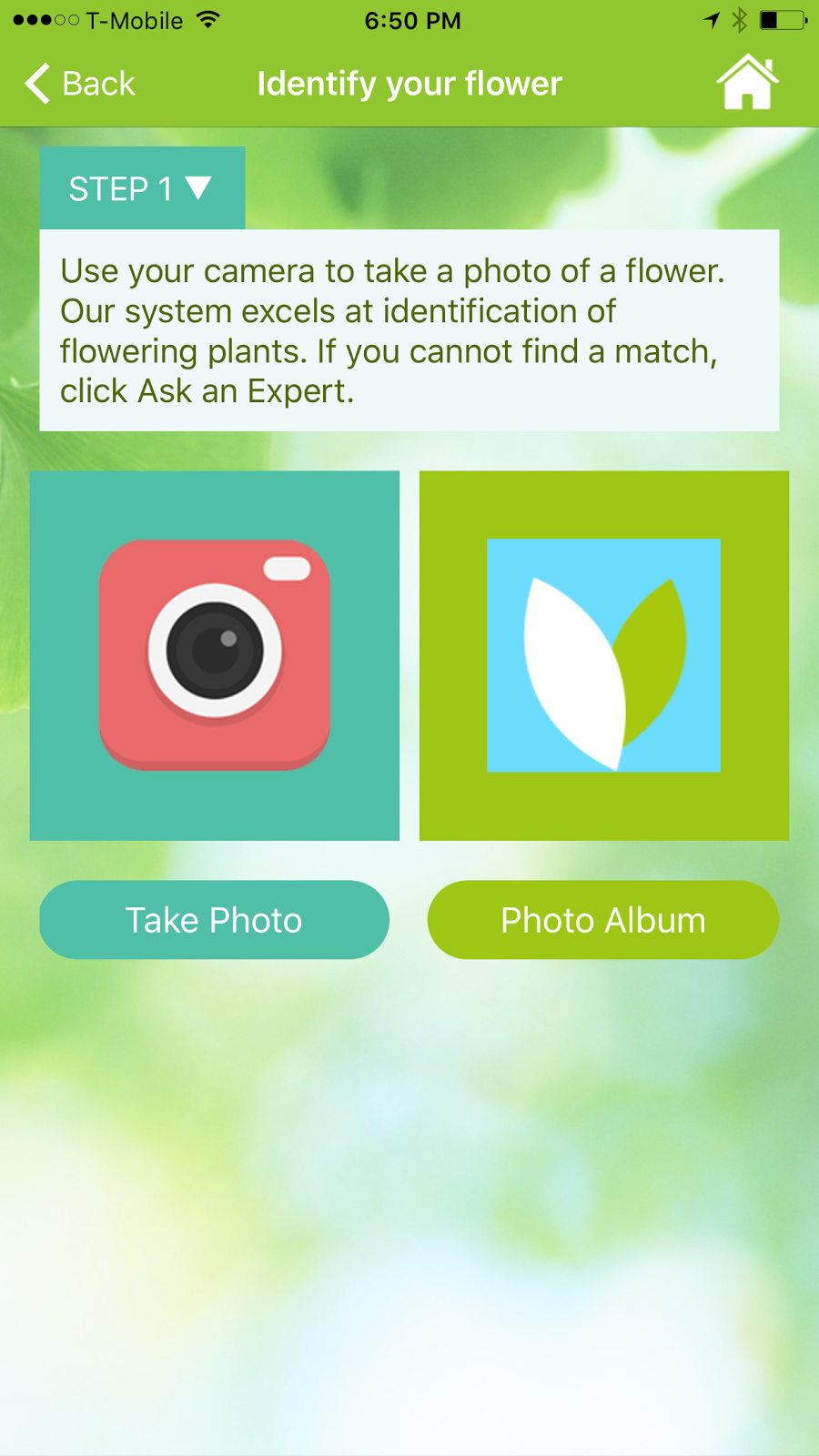
myGardenAnswers (Free) iOS and Android. Not one of the strongest apps in the identification game but you can search the name of a plant or tree and see pictures and descriptions. If you have a flowering plant you can take a picture and the app will try to identify it. The app has an option to do a Google image search using the picture you have taken.  If you have a non-flowering plant or you are not satisfied with any of the other options, the app offers expert identification services for a fee.


Garden Compass (Free) iOS and Android. The app has a lot of interesting features for those who like to garden: articles, tips, care calendar, community, cooking in the garden, and much more. The identification portion of the app gives users three expert identifications free each month. Additional identifications are available for a fee. I tried it and the expert would tell me what they thought it was and asked for additional pictures or information to try to get an exact name of the plant. The app has a very friendly and easy to use interface with high quality graphics. I really like the “How to Use the App” videos to help users get everything they can out of the app.

Do Not Recommend:


LikeThat Garden (Free) Android only – This app was promising but in the end extremely disappointing. It is very simple, you take a picture and the app is supposed to identify the plant or tree. The camera portion looked distorted and was hard to use. The graphics were poor. Several times the app could not bring up matches and when it did many did not produce a correct match. The app crashed multiple times.

Friday, April 22, 2016

Coloring apps

There has been an increasing interest in adult coloring, coloring for mindfulness, mandalas, zentangles, and related activities. It can very simple or get very complicated. I learned this when I received some special coloring pages for Christmas and none of the markers or pencils worked on the glossy pages. App makers have decided to try to get in on the action and make coloring available on mobile devices. Most apps are free but they charge for additional coloring pages, color palettes, and filters. I tried each of these apps and thought I'd give a "highly recommended", "recommended", "not recommended".

Highly Recommended

Pigment (Free) iOS only. This app impressed me the most. You can color with pencil, marker, or paint. You can control how much area it fills in and how large a pen, marker, or brush stroke. While coloring you can choose an area to confine your color to or you can draw outside the lines. If you have a newer iPhone / iPad the pressure sensitive screen allows for different saturations of color. The app allows you to save or share, as all the ones I tested do. The pictures that they give and color palettes to choose from are generous. There are only pop-up ads to buy premium features when you want to save or share. You can subscribe to get a new coloring book added monthly and all the premium features. The images used for coloring are vector images which means no matter how much you zoom in or zoom out there is no pixelation, everything looks smooth. This was the best app by far. Subscription prices vary. http://pigmentapp.co/

Colorfy (Free) iOS, Amazon, and Android. A lot of reviews and coloring app users rave about this app. The first thing that disappointed me was that the images are raster images meaning that they getting blocky and distort when you zoom in to fill in small areas. There are less color palette choices. I liked to see the library of other coloring / art people had created. The app allows you to convert pictures that you take into coloring pages. They do have an interesting selection of coloring pages. They have about as many pop-ups trying to sell their $2.99 a week subscription. http://colorfy.net/

Coloring (Free) Android only. There are some really beautiful coloring pages. It has some helpful settings options like left handed, blending colors, soft lines, and giant pencil. The feature that I really liked had to do with creating your own custom colors and then having an eye dropper to duplicate that color you created and used later. Like most coloring apps you just fill the black spots with color and you don't color like it in. There were no ads and I did not encounter any annoying pop-ups trying to sell me premium features. If you wanted additional coloring pages, you pay for them which seems fair. https://goo.gl/qKo0Ve

Recommended

Colorme (Free) iOS and Android. Extremely easy to color and the pictures don't take long to finish. There were an abundant selection of coloring pages and colors. Lots of ads. Apple: https://goo.gl/YJW7qf Android:https://goo.gl/UxdFQj 

Colorfly (Free) iOS and Android.  The app seems like a lesser quality version of Colorfy but with some added coloring pages, colors, and a ton of ads. There are a lot of addons that cost between $1.99 - $9.99. Apple: https://goo.gl/XFlBSn Android: https://goo.gl/rBvBHK

Recolor (Free) iOS and Android. One of the features that was different about this coloring app was if you tapped on an area to add color but you decide you've made a mistake you can tap a second time and it will undo it. There are a lot of cool filters once you are done coloring like water color, crayon, pencil, but also video filters that add movement to the drawing. Apple: https://goo.gl/1gKLzt Android: https://goo.gl/V0nkak

Mandala (Free) Android only. This app has a lot of fans and there are a lot of positive reviews. There is a limited assortment of coloring pages that are all in the same theme and I felt that the color selection was constrained. There is a banner ad at the bottom but not much else trying to sell users. Very basic and maybe good for children or adults that want something really basic. https://goo.gl/rfDnJc

Adult Coloring (Free) Android only. Good selection of coloring pages and colors, there are additional ones that can be purchased. Not a lot of ads. Nice filters that can be added after you are done. An easy to use app. https://goo.gl/QwIhrH 


Not Recommended

1000 Dot to Dot (Free) iOS only. This app was recommended in one of the articles that I read. I tried it on two separate days and ran into a lot of problems. It really isn't a coloring app but dot to dot and each is about 1000 dots. If coloring is supposed to destress and be calming, this is the opposite and made me want to throw my phone across the room.

Adult Coloring Book (.99) iOS only. Another app recommended in an article, it doesn't work well and uses "adult" sophomoric humor that I thought was dumb instead of funny (and trust me I laugh at some dumb things). Besides that there isn't a good selection of colors or pictures.

Thursday, April 14, 2016

Apps That Pay You

There are a bunch of apps that will pay you to do certain things: scan barcodes, check-in at stores, take photographs, eat healthy, etc. I downloaded a few and tried them out so you can find out if they are worth your time or not. There are some more apps in this category that I have not gotten around to trying so I may do another round of these in the future.

Foap (Free) Android and iOS. Take pictures and make money by selling them as stock photos to companies. You make $5 each time they sell one of your photos. There are also campaigns where they direct you to take pictures of certain scenes or products. The campaign winners can win between $100 - $1000, depending on the campaign. There is a nice  community of people that are taking pictures all over the world. I have had the app two weeks and it has been fun but I've made no money. https://www.foap.com/

Pact (Free) Android and iOS. If you are a healthy or fitness minded person this one is easy money but you have to be committed. You sign up for a "Pact" there are three to choose from I will visit the gym or workout for 30 minutes a day, five days this week; I will eat five vegetables or fruit in a week; I will track my calories five days a week using the MyFitnessPal app. The app helps you track your exercise, vegetables / fruit, and calorie counting. There is a downside if you do not follow through you are fined $5 per action you failed to do. There are ways to put a "pause"on your "Pact" but I believe you have to do it at the beginning of the week. If you complete all your "Pact" actions you can expect to make between $1.70 and $2.50 a week. I have had it for over a year and have made about $80 total and never paid a penalty. http://www.pactapp.com/

iBotta – (Free) Android and iOS. Receive rebates on things you buy at grocery stores, mass merchandise stores like Target, liquor stores, convenience stores, and movie theaters. Now they have team bonuses for reaching certain rebate levels with friends. When paired with coupons or store specials you can save a bunch of money on a single item. The rebates are paid by Paypal or Venmo gift cardhttps://ibotta.com/

Checkout 51 – (Free) Android and iOS. Very similar to iBotta but it has different rebates, each week the app includes some generic items like milk or bananas that you can get a rebate on. They also have an incentive that each user that uploads a receipt is placed in a weekly drawing for a gift card. I have used this app but have not found much to get a rebate on. http://app.lk/AaP

Mobee (Free) Android and iOS. Users get points for taking pictures and filling out surveys at restaurants and stores that they go to. There are a list of places on the app, when they want you to go there, and the number of points that it is worth. It makes me think of "secret shoppers" if you ever worked in retail. Where people come in with a list of questions or items to check that a company or owner wants. Basically this app makes anyone with a smartphone and sometime on their hands a secret shopper. It takes a lot of pints to earn rewards, but if you are out and going to those places anyway it might help you earn something nice.
http://www.mobeeapp.com/

Shopkicks (Free) Android and iOS. You get points, called kicks, every time you go to a retailer. Scan products on the shelves or buy something you get more kicks. These kicks can be redeemed for gift cards. So even if you aren’t shopping or buying and just tagging along you could earn some free stuff. http://app.shopkick.com/wr2/4ZYPFFW-4ZYX536

Receipt Hog (Free) Android and iOS. Whenever you go shopping you save your receipt and take a picture of it using the app. They assign you a point value for each receipt you upload. Receipts from certain places and items are worth more points. It takes a lot of points / time to get enough points for gift cards but if you don't mind and you are shopping anyways, you may be able to score some free stuff. http://receipthog.com/

Google Opinion Rewards (Free) Android only. Answer some surveys from Google and earn credit toward Google Play Store purchases. Once you download the app you answer a quick survey to see if you qualify. After that it offers you surveys based on location, how often you answer, and other data points. I don't use an Android device often but some friends of mine have raved about how easy it was for them to earn credits for their Google account.  https://www.google.com/insights/consumersurveys/google_opinion_rewards