Showing posts with label Heirloom. Show all posts

Monday, July 3, 2017

Death of an App

Sorry I haven't written in a while. I have been busy in a new job that has a lot going on.

Anyways, two of the apps that I reviewed and recommended have sent e-mails that they are closing up shop and will no longer provide service as of August.

These apps are Pact app and Heirloom.

I was a Pact app user for multiple years and I'm sad to see it go but I could see the writing on the wall as the weekly reward for completing healthy activities went below $2 a week to as low as $1.20 (I could be wrong but that's what I remember).

This isn't the first time that I have had a favorite app go away but I feel like app companies have done a much better job of communicating ahead of time to its users. They never really explain the "why" but I guess we can deduce that it is a lack of making money. I understand why they can't tell users the whole story but I'm sure some us would be interested.

In the past I have had apps that were bought up by other companies such as Sunrise Calendar by Microsoft. They use the technology in another one of the company's apps, in this case Outlook.

Losing an app that you really enjoy is kind of like having an acquaintance or coworker pass away. It's not the end of the world, just sucks.

I'm a bit worried about Evernote, they've been sending a lot more e-mails about their Premium features and they changed their paid features pricing about 9 months (that's a guess) ago.

Anyways, if you have an app that you lost. Tell me about it in the comments. If you have an idea about something to write about let me know.


Thursday, December 8, 2016

Photo Scanning Apps

Google recently released a photo scanning app that had mixed reviews. I began to wonder if there were other apps that did the same thing, and which is the best. I did a side by side comparison.


CamScanner (Free) Android and iOS - Usually used for document scanning this app does really well at lining up the photos, cropping, and sharing. The photo quality was good but not great. The photo adjustment / filters features were good not great. https://www.camscanner.com

CamScanner scanning interface
CamScanner adjustment interface
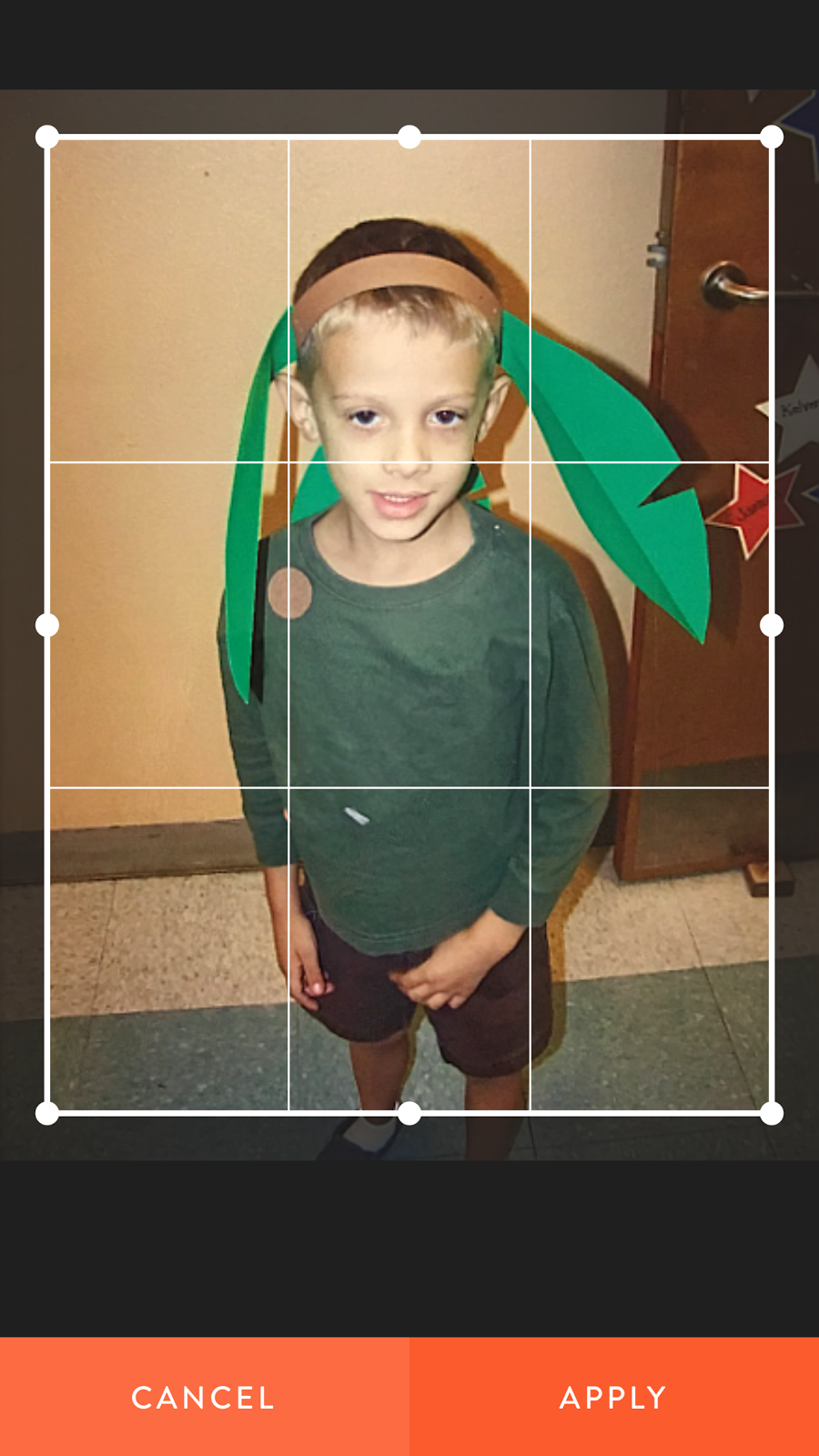
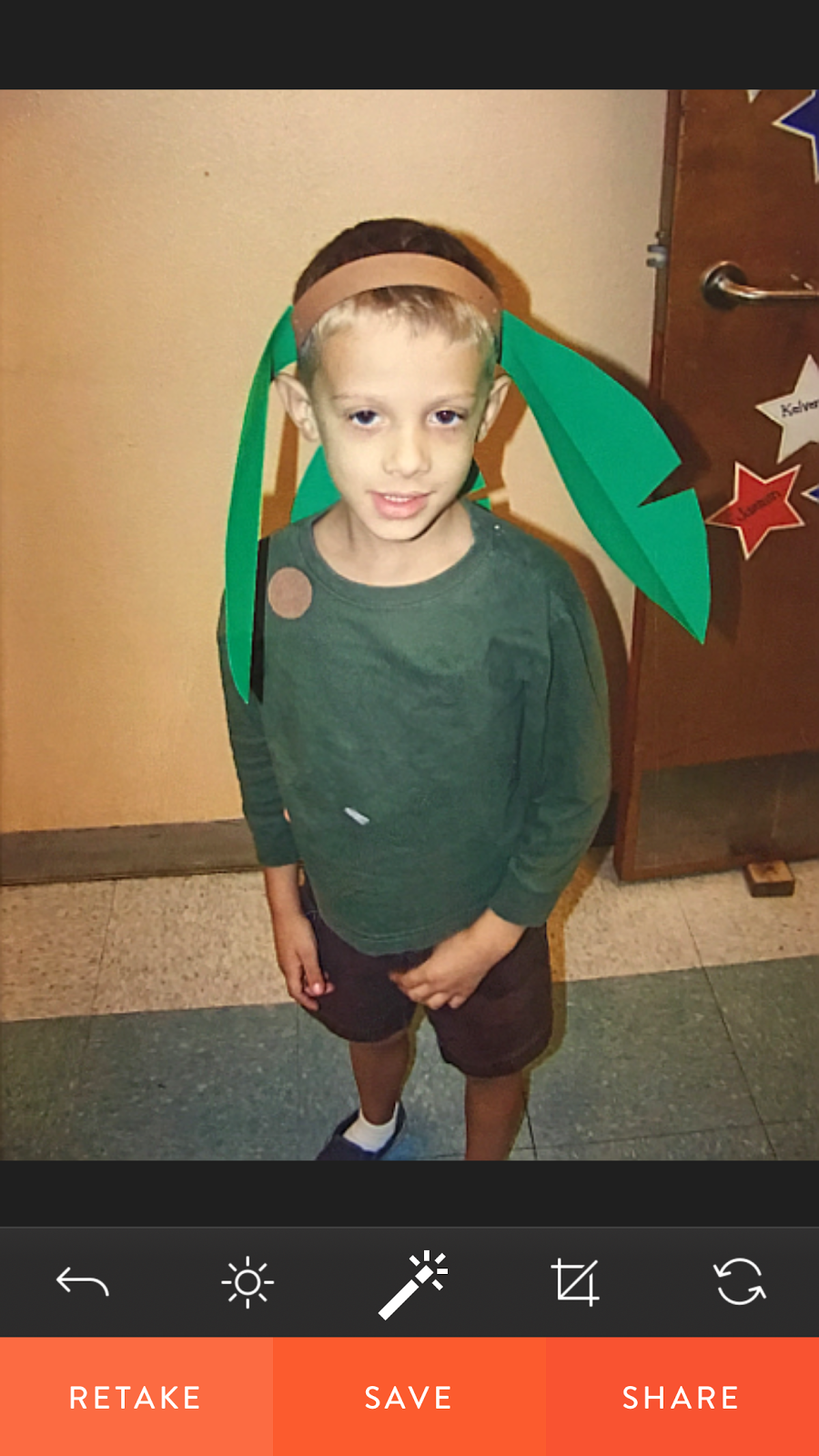
Heirloom (Free) Android and iOS - Heirloom had the nicest user interface. It also has really nice photo adjustments and filters. The app had the best photo quality of the apps tested. The app's focus is on album creation and sharing, but users would have to convince friends and family to download the app. https://www.heirloom.net/

Heirloom cropping interface
Heirloom adjustment interface


PhotoScan by Google (Free) Android and iOS - The app does a good job of trying to eliminate glare and automatically cropping but I found that the photos were a bit blurry. It does a great job at saving and sharing but no adjustments or filters. https://www.google.com/photos/scan/


PhotoScan by Google scanning interface

Pic Scanner (Free with in-app purchases) iOS only - I found the app easy to use. The app tells users that they have the photo lined up. It does well at cropping but unfortunately the app limits the number of photos users can save or share to twelve (more than that costs $2.99). http://m.appinitio.com/

Pic Scanner scanning interface
Pic Scanner adjustment interface


Side by side with each app.
PhotoScan by Google

Pic Scanner

Heirloom

CamScanner


Side by side and I included one with the Camera on my iPhone.

PhotoScan

Pic Scanner

Heirloom

CamScanner

iPhone Camera

Side by side with my top three favorites Cam Scanner, Heirloom, and the iPhone camera.

CamScanner

Heirloom

iPhone Camera

These last two were Heirloom and the iPhone camera with both I used the adjustment and filters.
iPhone Camera with adjustments

Heirloom app with filter
I felt that the Heirloom app performed best and the iPhone was a close second. From all my research it seems that flat bed scanners or a SLR camera with a macro lens are superior for getting the best quality. This website gives instructions for taking the best scans possible of your photos with either one  https://www.cnet.com/how-to/how-to-scan-and-archive-your-old-printed-photos/